Java Sample Code for MOBITEK STK API version 6.2 — InputRequest() and InputSubmit()

Introduction

STK refers to SIM Tookit.

SAT refers to SIM Application Toolkit

Both terms are interchangeable.

Java Sample Code

//To display a request from STK menu for an input
vMOBITEK = STKAPI.invoke("InputRequest");
sMOBITEK = vMOBITEK.getString();
System.out.println ("STK Menu has requested for an input: " + sMOBITEK + ".");
//To submit an input to STK Menu
strInput = "OK"
vMOBITEK = STKAPI.invoke("InputSubmit",strInput);
bMOBITEK = vMOBITEK.getBoolean();

More Information

Bug in MOBITEK STK API version 6.2.1

Bug Found In

  • MobitekSTK6.dll version 6.0, 6.1 and 6.2.1
  • MobitekSTK6.dll — ReadSMSText() always return “False” after calling SendSMS().

Test Procedure

  1. Send 10 messages from cellphone to the MOBITEK Q24 STK Modem.
  2. Call the function ReadSMSText() four times, it display the 4 messages.
  3. Then send 1 message from MOBITEK Q24 STK Modem to cellphone.
  4. Cellphone will receive the message.
  5. Call the function ReadSMSText(), return value is always “False” even though there are remaining 6 messages in SIM card.

Suggested Solution

  1. Use ReadSMS() instead; or
  2. Bug has been fixed in MOBITEK STK API verion 6.3

Status

  1. Bug has been fixed in MOBITEK STK API verion 6.3

ERROR [IM002] [Microsoft][ODBC Driver Manager] Data source name not found and no default driver specified

Applies To:-

  • MOBITEK® MobiGATE
  • MOBITEK® SMS Engine — Enterprise Edition version 5 and 6
  • Windows 7, 8 and 2012; 64 bit

Error Message: ERROR [IM002] [Microsoft][ODBC Driver Manager] Data source name not found and no default driver specified

Solution: Do no use MySQL ODBC Driver 64 bit; must use 32 bit that is included in the CD, “mysql-connector-odbc-5.1.5-win32.msi”.


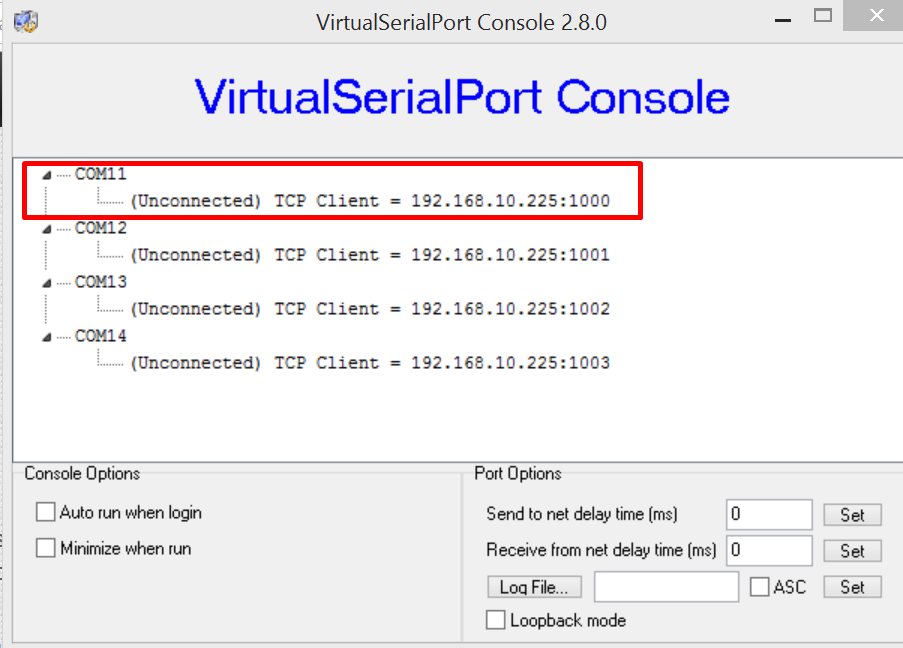
Virtual Serial Port Console Shows COM Port Not Connected

VSP Console version 2.8

VSP Console version 2.8 Shows “Unconnected”

Problem: after adding new “COM port” and adding new “net”, MobiGATE’s SMS Engine is not able to initialise the modem.

Solution: restart PC/server. Sometimes, the configuration in Virtual Serial Port Console will take effect after restarting.

Applies to:-

  1. MOBITEK® MobiGATE model: SG-4-E
  2. Virtual Serial Port Console version 2.8

More Information

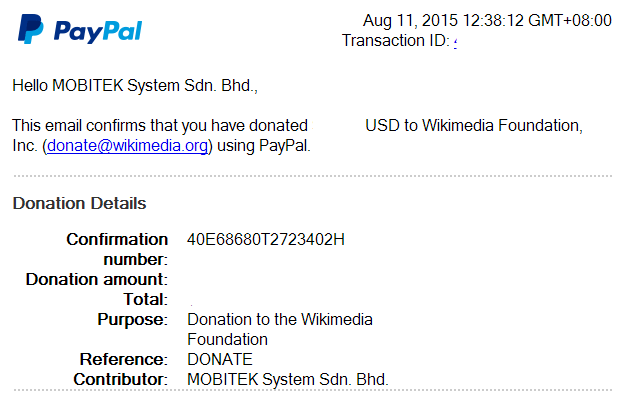
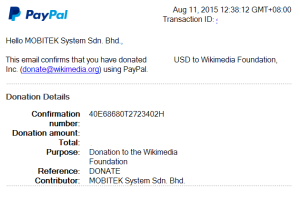
MOBITEK Supports Wikimedia Foundation

MOBITEK Supports Wikimedia Foundation

MOBITEK Supports Wikimedia Foundation

From Jimmy Wales, Wikipedia Founder:

Thank you for helping keep Wikipedia online and ad-free. I’m sure you’re busy, so I’ll get right to it. We need your help again this year.

Please help us forget about fundraising and get back to improving Wikipedia.

We are the small non-profit that runs one of the top websites in the world. We only have about 200 staff but serve 450 million users, and have costs like any other top site: servers, power, programs, and people.

Wikipedia is something special. It is like a library or a public park. It is like a temple for the mind, a place we can all go to think and learn.

To protect our independence, we’ll never run ads. We survive on donations from our readers. Now is the time we ask.

If Wikipedia is useful to you, please take one minute to keep it online and ad-free another year.

https://donate.wikimedia.org

Thanks,
Jimmy Wales
Wikipedia Founder

Continue reading