New Feature
- New function
USSD.Cancel()added — to cancel USSD session.
Download
Existing customers with a valid warranty period or with a valid annual support program could. proceed with download:-
More Information
USSD.Cancel() added — to cancel USSD session.
Existing customers with a valid warranty period or with a valid annual support program could. proceed with download:-
Problem: “.mp4” video files on WordPress (web site) has black lines (corrupted).
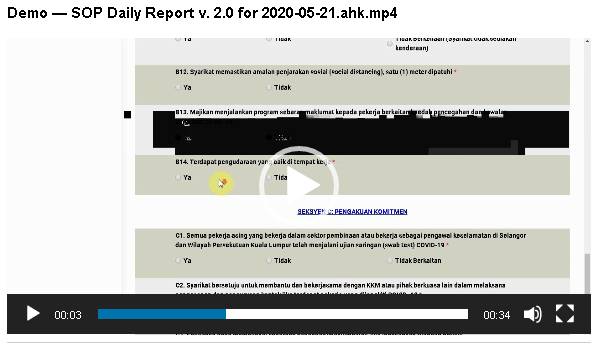
Cause: BB Flashback can convert the .fbr to .mp4, .avi and .wmv format. However “.mp4” is actually MPEG4 format.
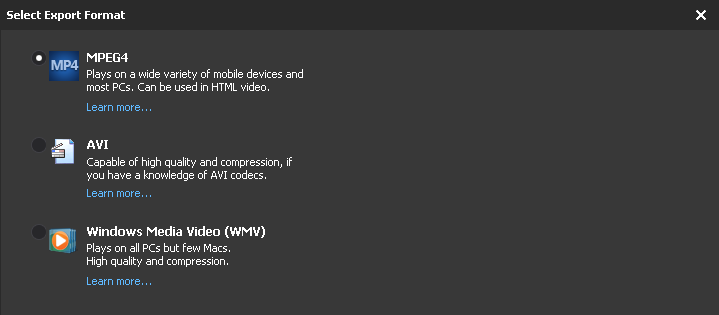
Solution: Use VLC to convert the video to “.mp4” format instead.
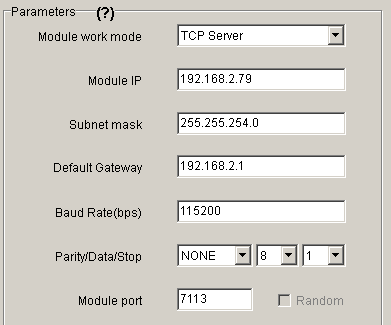
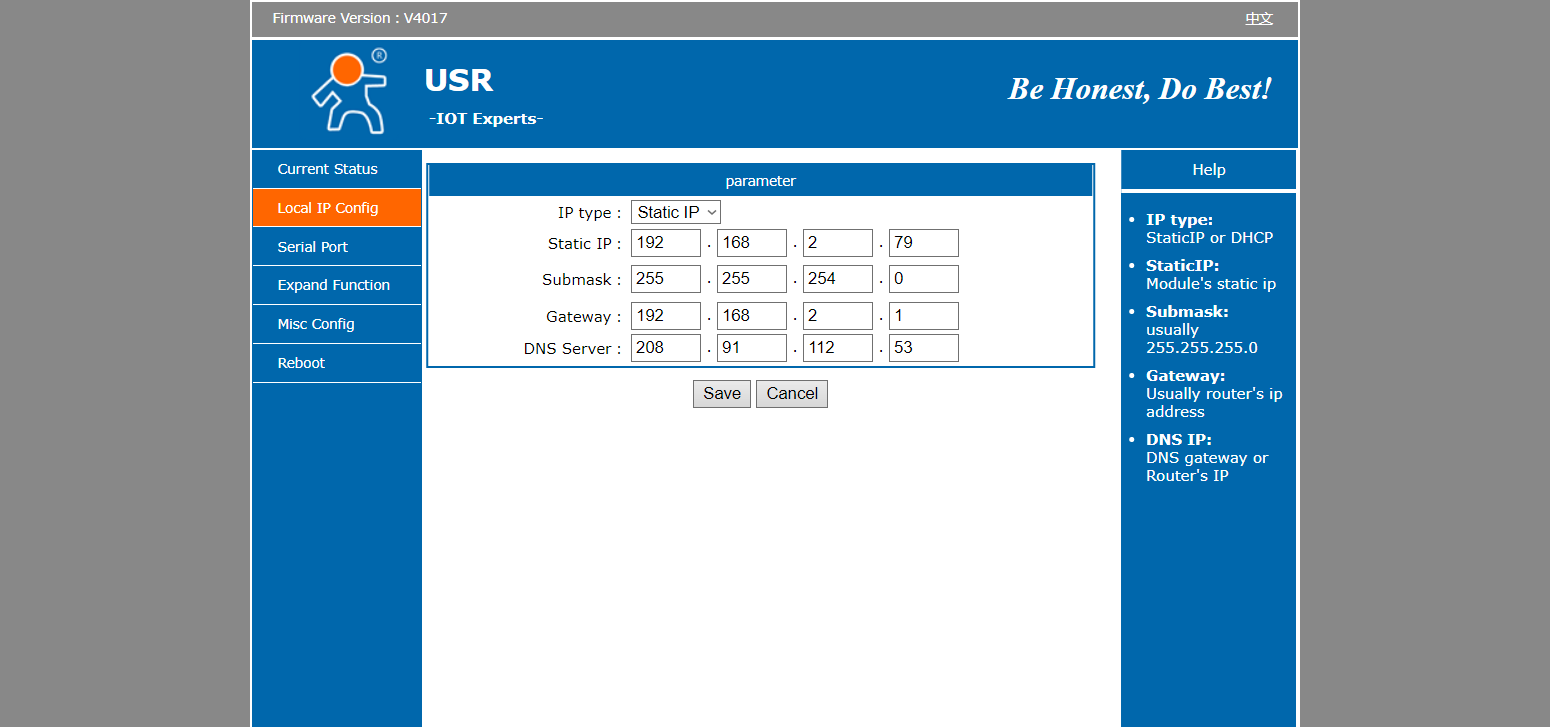
Web Administration Page of MOBITEK S80 Modem

Problem: after stating the game Hue, music can be heard, but the screen stays blank (black colour). Then the game crashes. Log file shows:-
D3D shader create error for vertex shader [0x887a0005]
D3D shader create error for pixel shader [0x887a0005]
WARNING: Shader Unsupported: ‘Custom/CutoutShader’ – Pass ” has no vertex shader
WARNING: Shader Unsupported: ‘Custom/CutoutShader’ – Setting to default shader.
d3d11: failed to create 2D texture id=94 w=128 h=256 mips=1 d3dfmt=77 [887a0005]
d3d11: failed to create 2D texture view id=94 [80070057]
…
D3D shader create error for vertex shader [0x887a0005]
D3D shader create error for pixel shader [0x887a0005]
WARNING: Shader Unsupported: ‘Custom/Unlit Single Color’ – Pass ” has no vertex shader
WARNING: Shader Unsupported: ‘Custom/Unlit Single Color’ – Setting to default shader.
d3d11: failed to create 2D texture id=104 w=128 h=128 mips=8 d3dfmt=77 [887a0005]
d3d11: failed to create 2D texture view id=104 [80070057]
D3D shader create error for vertex shader [0x887a0005]
D3D shader create error for pixel shader [0x887a0005]
WARNING: Shader Unsupported: ‘Unlit/Transparent’ – Pass ” has no vertex shader
WARNING: Shader Unsupported: ‘Unlit/Transparent’ – Setting to default shader.
d3d11: failed to create 2D texture id=106 w=204 h=343 mips=1 d3dfmt=28 [887a0005]
d3d11: failed to create 2D texture view id=106 [80070057]
…
d3d11: attempt to lock null vertex buffer
d3d11: attempt to lock null index buffer
Unloading 6 Unused Serialized files (Serialized files now loaded: 0)
d3d11: failed to create 2D texture id=562 w=40 h=91 mips=1 d3dfmt=28 [887a0005]
d3d11: failed to create 2D texture view id=562 [80070057]
D3D shader create error for vertex shader [0x887a0005]
D3D shader create error for pixel shader [0x887a0005]
WARNING: Shader Unsupported: ‘Mobile/Particles/Alpha Blended’ – Pass ” has no vertex shader
WARNING: Shader Unsupported: ‘Mobile/Particles/Alpha Blended’ – Setting to default shader.
d3d11: failed to create 2D texture id=564 w=2048 h=2048 mips=1 d3dfmt=77 [887a0005]
d3d11: failed to create 2D texture view id=564 [80070057]
d3d11: failed to create 2D texture id=566 w=2048 h=2048 mips=1 d3dfmt=77 [887a0005]
d3d11: failed to create 2D texture view id=566 [80070057]
UnloadTime: 2.002275 ms
Unloading 10 unused Assets to reduce memory usage. Loaded Objects now: 21250.
Total: 28.089157 ms (FindLiveObjects: 0.868564 ms CreateObjectMapping: 0.596149 ms MarkObjects: 26.562433 ms DeleteObjects: 0.061582 ms)
d3d11: failed to create vertex buffer of size 12240 [0x887A0005]
d3d11: failed to create index buffer of size 612 [0x887A0005]
d3d11: attempt to lock null vertex buffer
d3d11: attempt to lock null index buffer
d3d11: failed to create vertex buffer of size 5280 [0x887A0005]
d3d11: failed to create index buffer of size 264 [0x887A0005]
d3d11: attempt to lock null vertex buffer
d3d11: attempt to lock null index buffer
d3d11: failed to create vertex buffer of size 4194304 [0x887A0005]
d3d11: failed to create vertex buffer of size 4194304 [0x887A0005]
Crash!!!
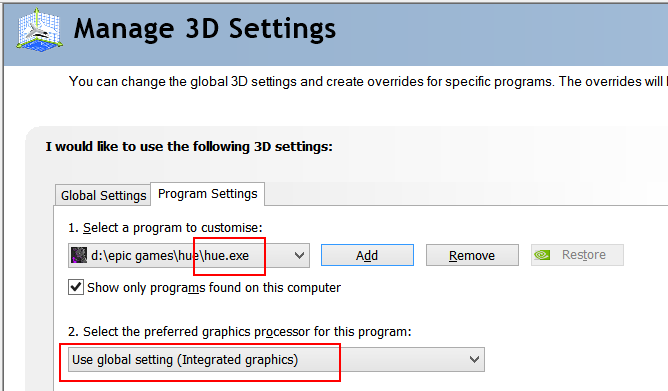
Solution: run the game using “Integrated graphics” instead of “NVIDA” by setting it in NVIDIA Control Panel -> Manage 3D Settings.
Problem: after upgrading NVIDA driver from v. 445.87 to v. 456.38, Epic Games Laucher cannot be opened or started, it keeps opening then close, mouse could be blinking.
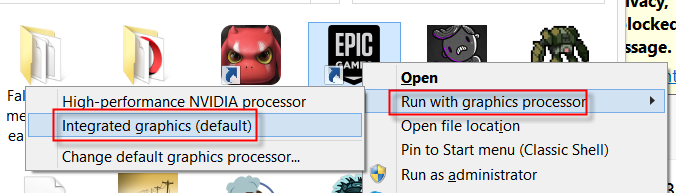
Solution: right click on the Epic Games Launcher -> Run with graphics processor -> Integrated graphics
Other Solutions:-
Spammer or hacker will always change the e-mail address to avoid being flag as spam based on the sender’s e-mail address.
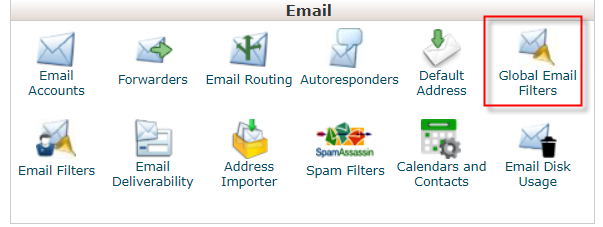
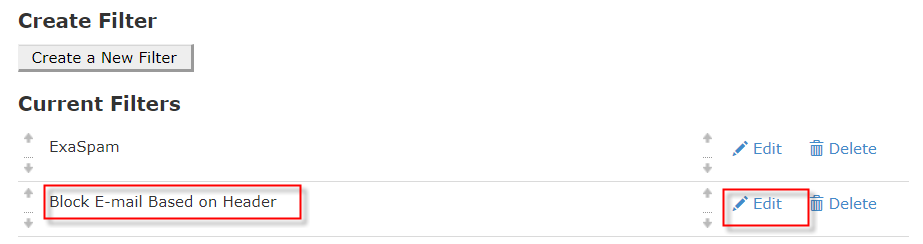
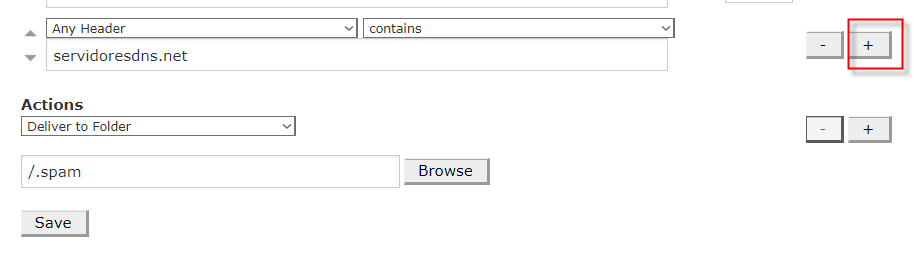
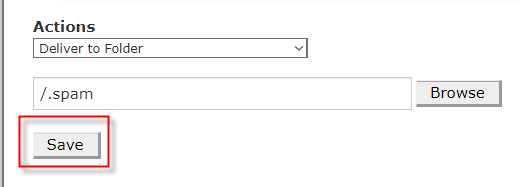
Solution: block the SMTP domain of spammer or hacker by using “Global Email Filters” tool in cPanel

PHPRunner version 10.x : ConnectionManager.php
protected function _setConnectionsData()
{
// content of this function can be modified on demo account
// variable names $data and $connectionsData are important

$connectionsData = array();

$data = array();
$data["dbType"] = 0;
$data["connId"] = "Tables";
$data["connName"] = "crm2017 at 00.00.00.00";
$data["connStringType"] = "mysql";
$data["connectionString"] = "mysql;00.00.00.00;crm;scale-UP;;crm2017;;1"; //currently unused

$this->_connectionsIdByName["crm2017 at 00.00.00.00"] = "Tables";

$data["connInfo"] = array();
$data["ODBCUID"] = "crm";
$data["ODBCPWD"] = "scale-UP";
$data["leftWrap"] = "`";
$data["rightWrap"] = "`";

$data["DBPath"] = "db"; //currently unused
$data["useServerMapPath"] = 1; //currently unused

$data["connInfo"][0] = "00.00.00.00";
$data["connInfo"][1] = "crm";
$data["connInfo"][2] = "scale-UP";
$data["connInfo"][3] = "";
$data["connInfo"][4] = "crm2017";
$data["connInfo"][5] = ""; //currently unused
$data["connInfo"][6] = "1"; //currently unused
$data["ODBCString"] = "DRIVER={MySQL ODBC 5.1 Driver};Server=00.00.00.00;Uid=crm;Pwd=scale-UP;Database=crm2017;OPTION=3";
// encription set
$data["EncryptInfo"] = array();
$data["EncryptInfo"]["mode"] = 0;
$data["EncryptInfo"]["alg"] = 128;
$data["EncryptInfo"]["key"] = "";

$connectionsData["Tables"] = $data;
$this->_connectionsData = $connectionsData;
}

| MODEM | Linux Mint in VM | Linux Mint in Dell-D630 |
|---|---|---|
| MOBITEK S80 | MOBITEK S80 does not work (no response in CuteCom) in VM-Linux Mint | MOBITEK S80 can work in Linux Mint using USB. There are 4 COM ports created in Linux (ttyUSB0, ttyUSB1, ttyUSB2, ttyUSB3), only “ttyUSB3” is used for the AT command. |
| MOBITEK Q24 | MOBITEK Q24 is working (can send and read SMS) in VM-Linux Mint | MOBITEK Q24 also can work in Linux using “ttyUSB0” |
Objective: to use AT command to rename “Sierra Wireless” to “MOBITEK” so that all the 4 COM ports will display “MOBITEK”
Result: after using the “AT+WUSB” to change name to “MOBITEK”, the 4 COM ports in device manager still show as “Sierra Wireless” .
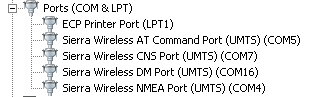
In addition, there is no AT command to remove the other 3 COM ports, “CNS”, ‘DM” & “NMEA”