Please use your fingernail to push the SIM card in until it is fully inserted and to eject the SIM card out.
Author Archives: Taufiq
How to Set EC20 to Reboot When Internet Connection is Lost
By default, EC20 will automatically try to re-connect to 4G network if internet connection is lost. To perform an automatic reboot instead, follow these steps:-
How to Upgrade or Downgrade the Firmware of MOBITEK Q25 4G Modem
Steps
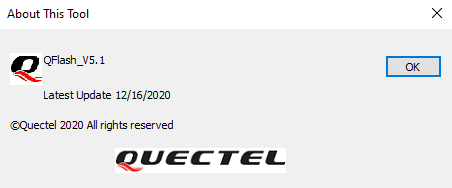
- Run “QFlash v5.1”.
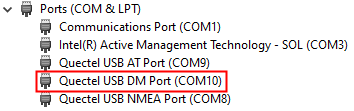
- Select the COM port number of “Quectel USB DM Port” (must use the USB port because serial port does not have “Quectel USB DM Port”).

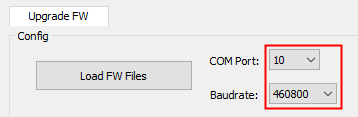
- Set Baud Rate to 460800.

- Load Firmware Files.
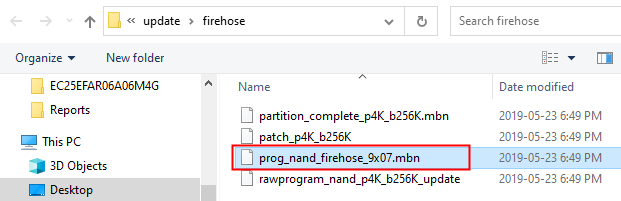
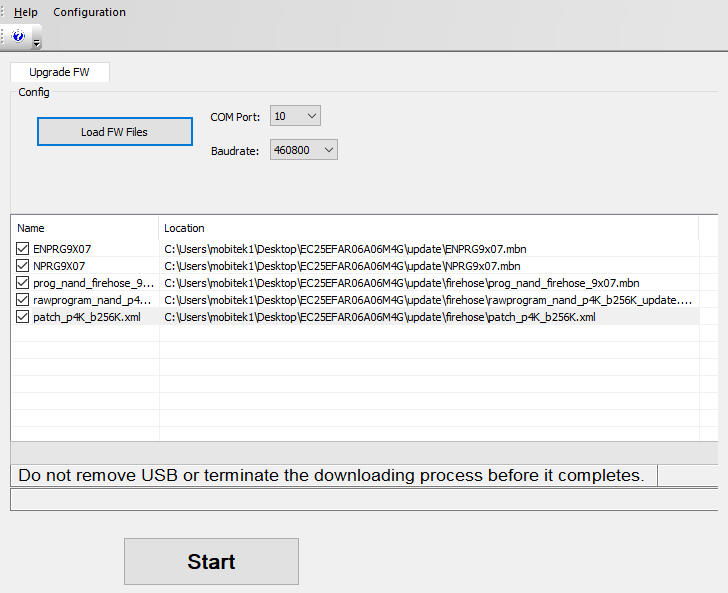
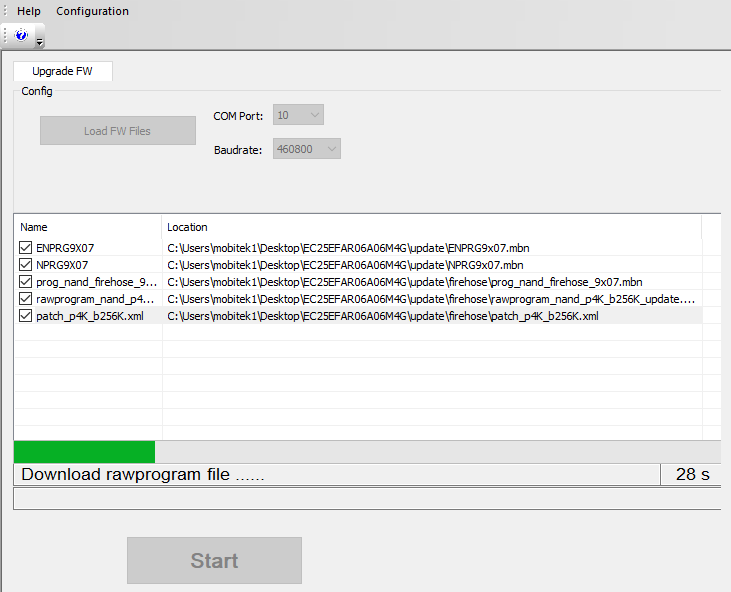
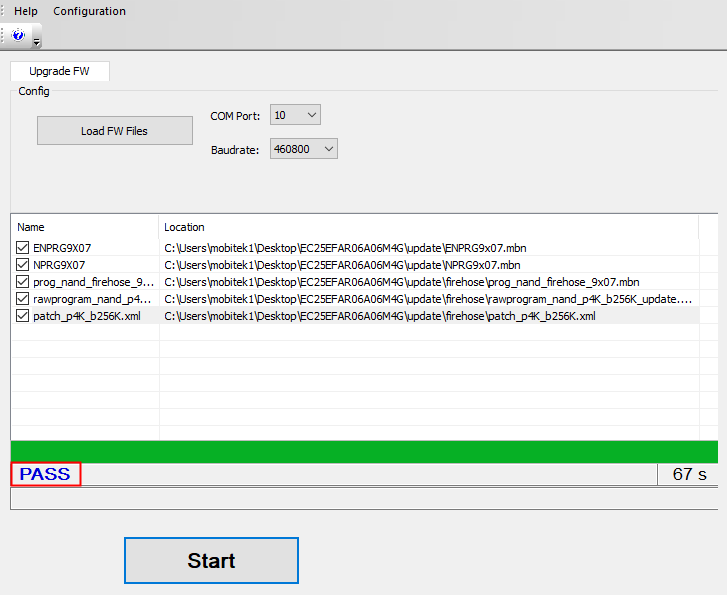
- Upgrade firmware.
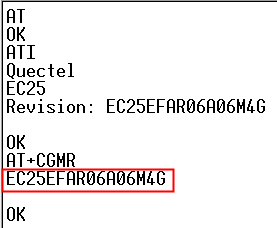
- Unplug the USB cable and plug it back. Use “AT+CMGR” or “ATI” to check the firmware version.
Download QFlash version 5.1
QFlash version 5.1 User’s Guide
 Loading...

 Reload document
  Open in new tab
 How to Schedule Win 10 PC to Sleep and Wake-Up
Conclusion
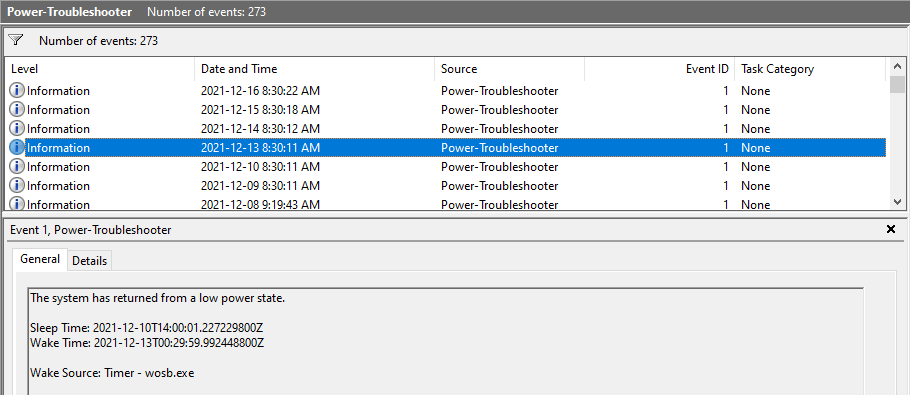
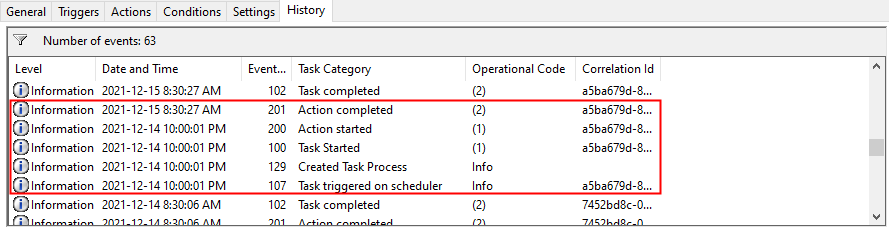
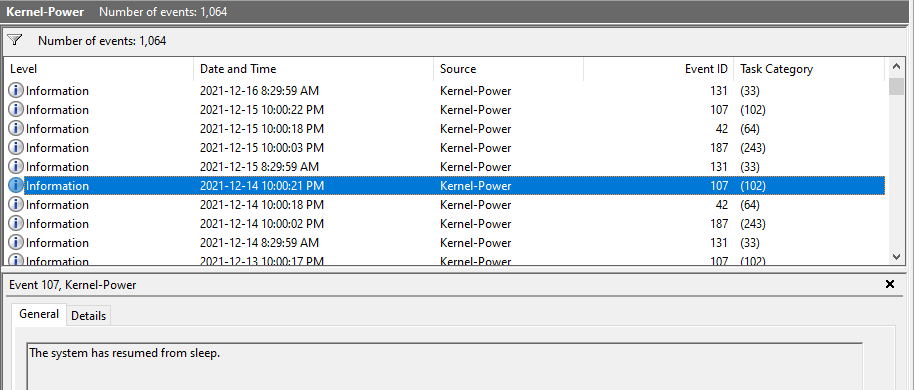
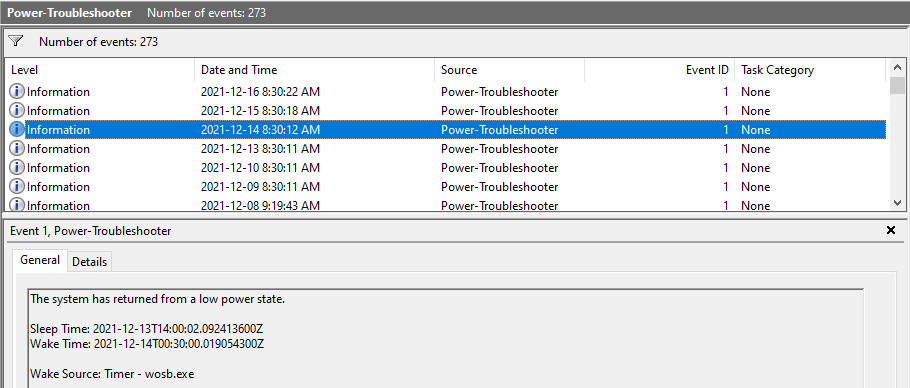
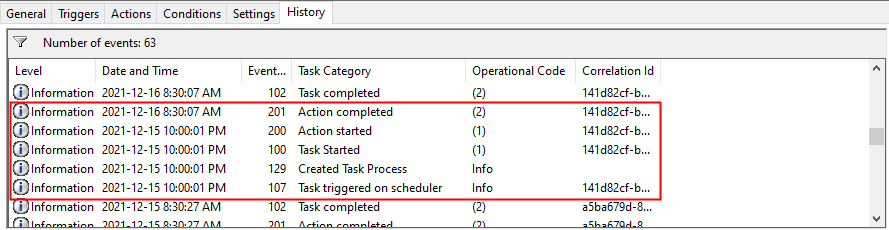
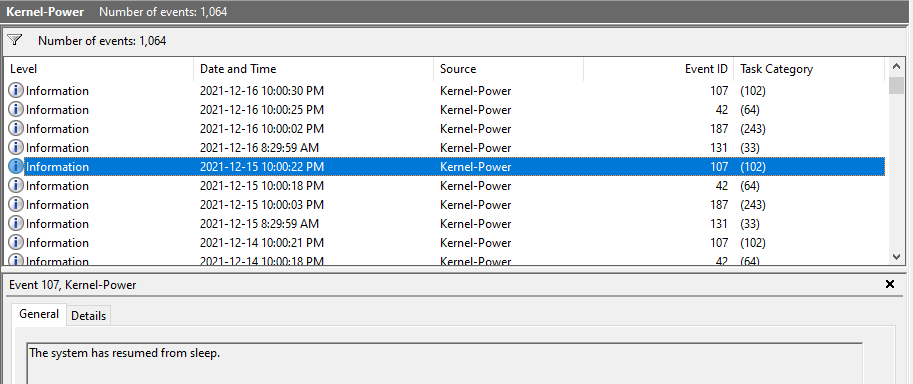
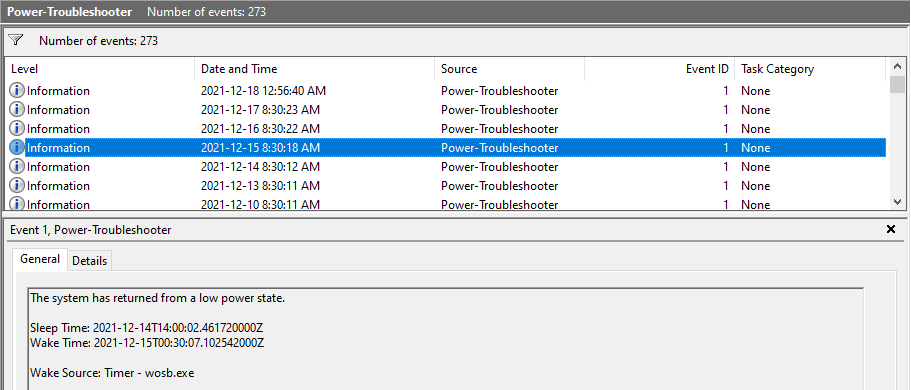
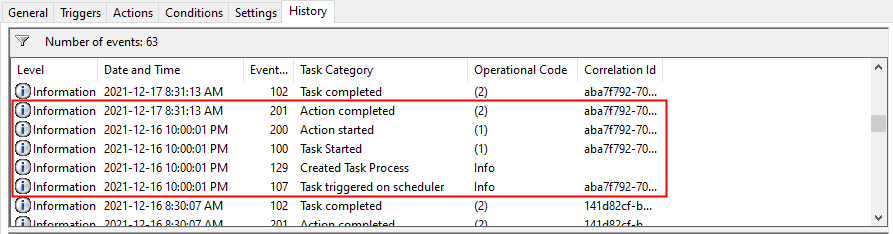
- “psshutdown.exe” and “wosb.exe” are working — can sleep, wake up and stay awake. For each setting refer to:-
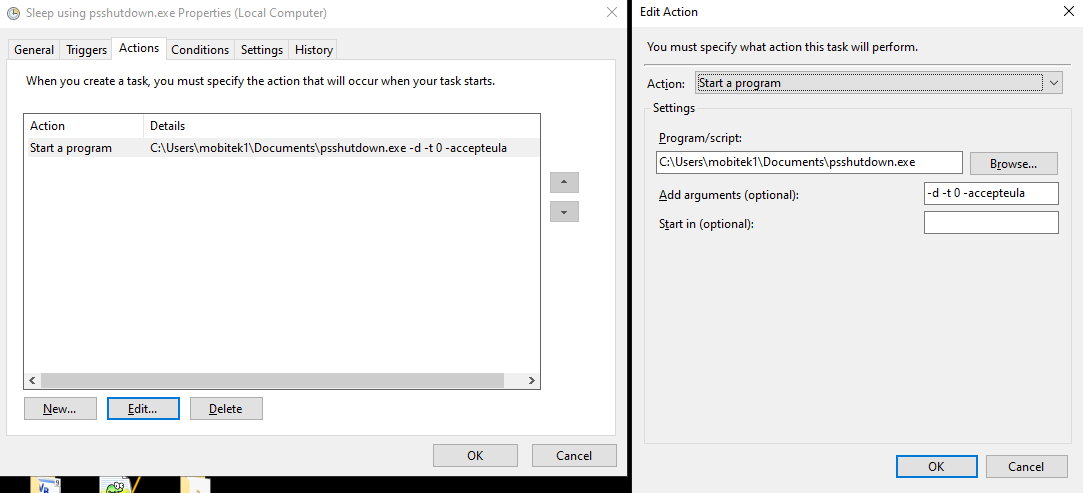
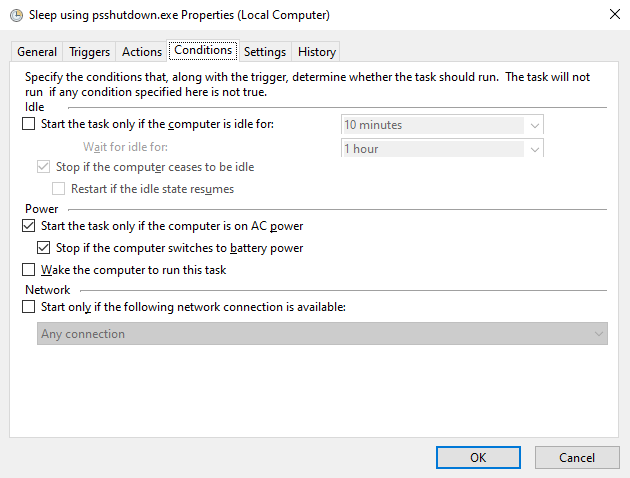
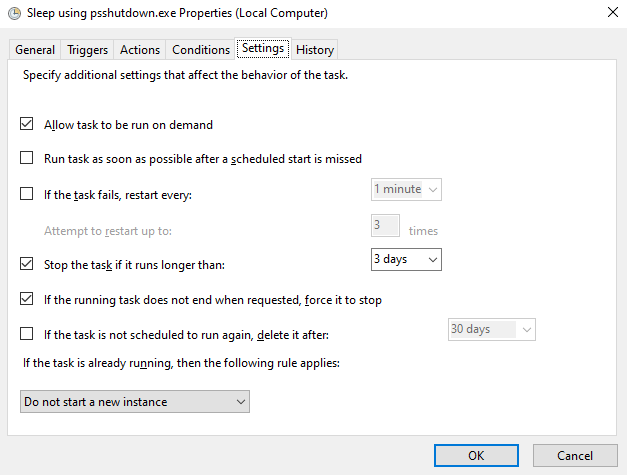
- psshutdown.exe Setting in Task Scheduler
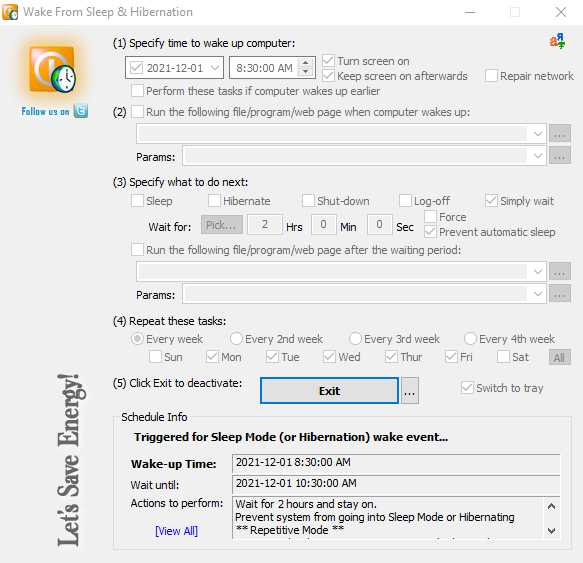
- wosb.exe Setting
- “Put PC to Sleep” (rundll32.exe powrprof.dll,SetSuspendState 0,1,0) and “wosb.exe” are NOT working — it can sleep but cannot wake-up.
- “psshutdown.exe” and “Wake-Up from Sleep” (Windows Task Scheduler) are NOT working — it can sleep, wake-up but after 5 minutes will return to sleep, it cannot stay awake.
- Method mentioned in https://www.howtogeek.com/204742/how-to-make-any-computer-boot-up-or-shut-down-on-a-schedule/ (rundll32.exe powrprof.dll,SetSuspendState 0,1,0) is not working in Windows 10 PC to sleep. Once it is slept, it cannot be woke-up.
- Method mentioned in https://www.howtogeek.com/119028/how-to-make-your-pc-wake-from-sleep-automatically/ is not able to wake-up Windows 10 PC.
psshutdown.exe Setting in Task Scheduler
Download the “Sleep using psshutdown.exe” task here …
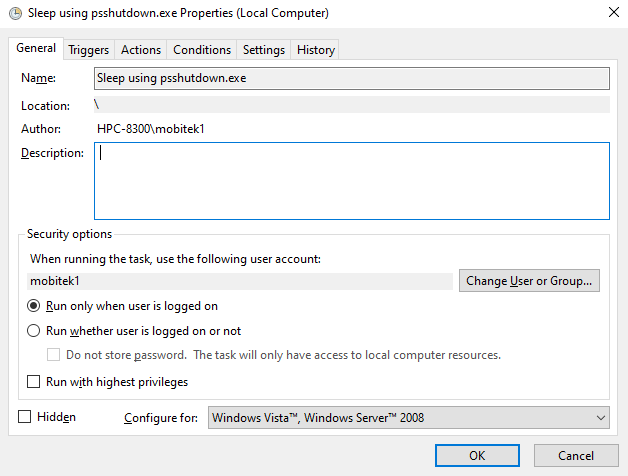
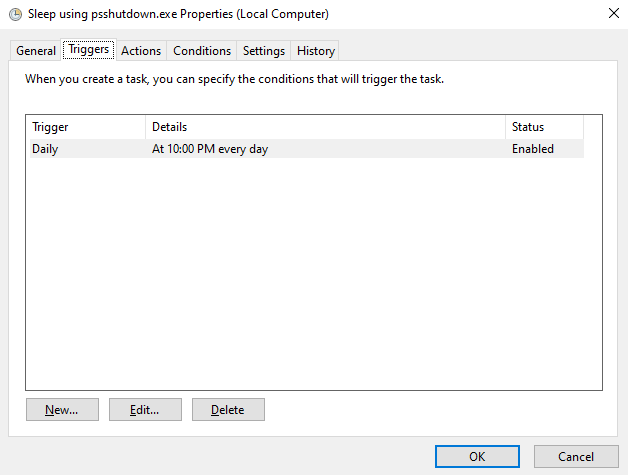
The argument is –d -t 0 -accepteula
wosb.exe Setting
Download the wosb.exe setting here ….
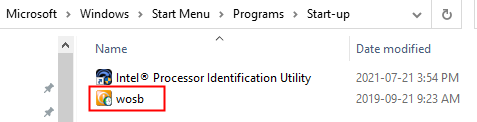
Place “wosb.exe” in “C:\Users\mobitek1\AppData\Roaming\Microsoft\Windows\Start Menu\Programs\Startup” so that the program can autorun whenever the PC is rebooted.
Test Result
| DATE | DID HPC-8300 SLEEP AT 10 PM using psshutdown.exe? (Y/N) | DID HPC-8300 WAKE UP AT 8:30 AM using wosb.exe? (Y/N) |
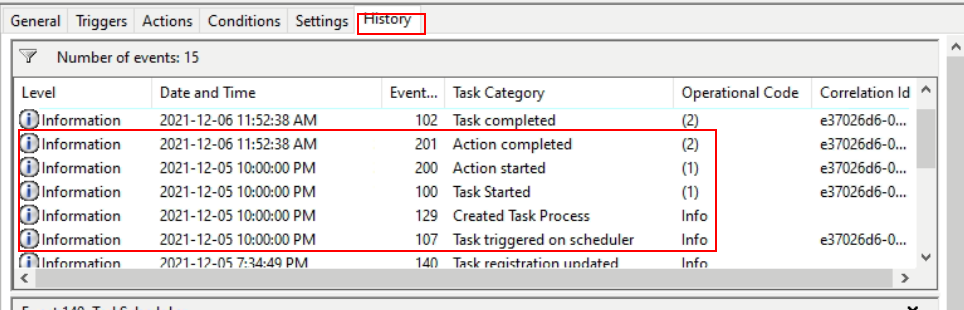
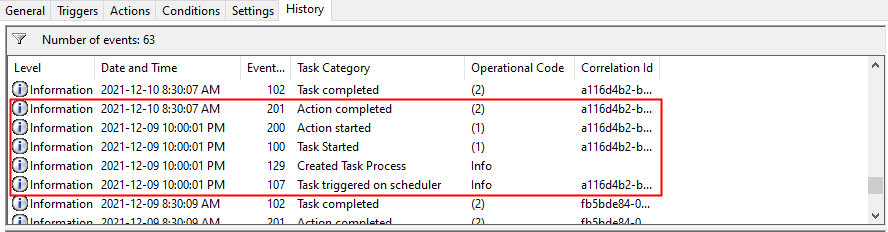
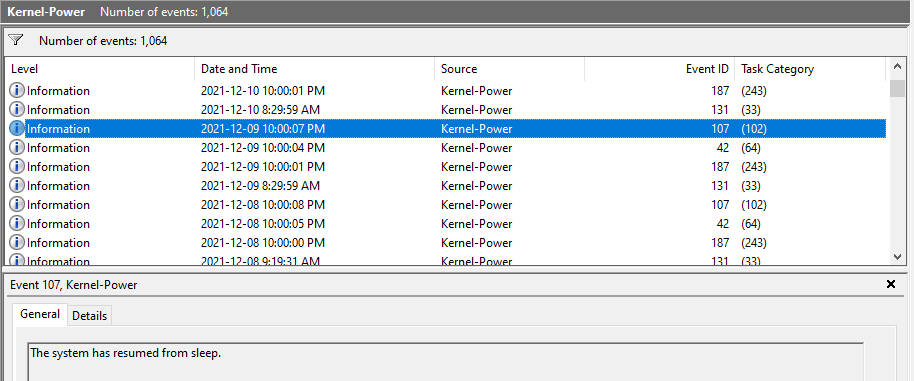
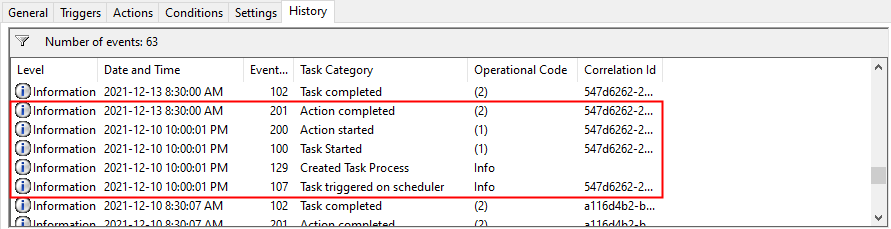
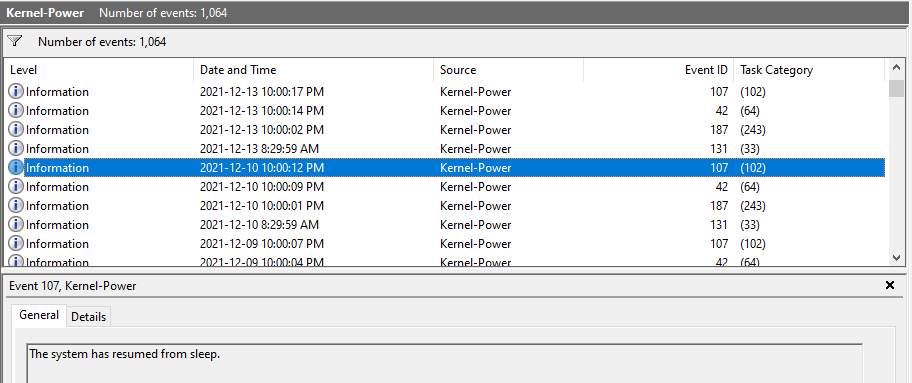
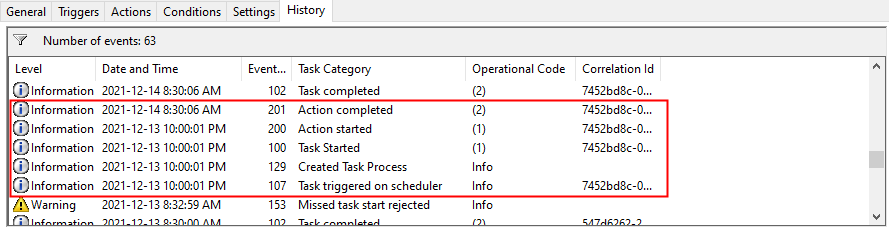
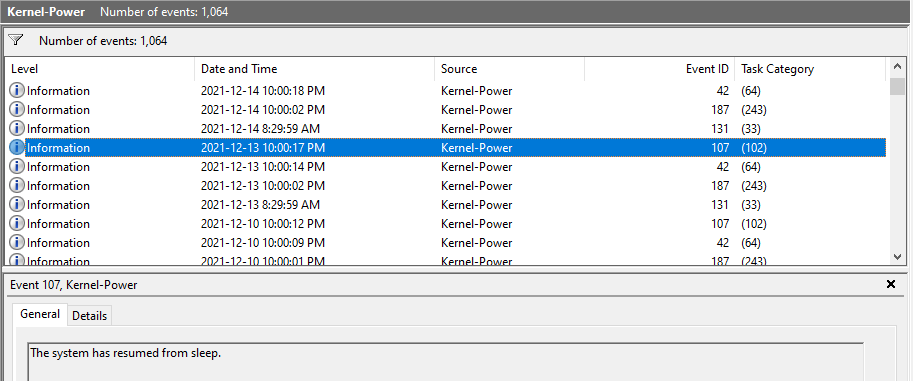
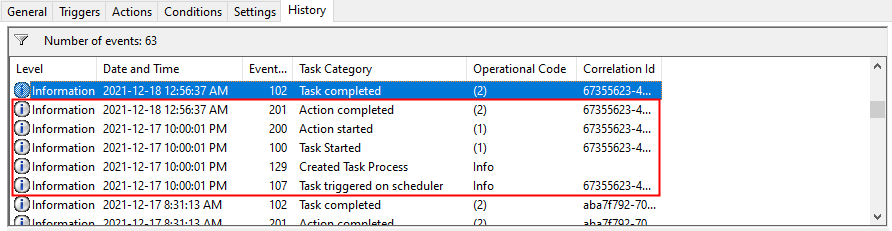
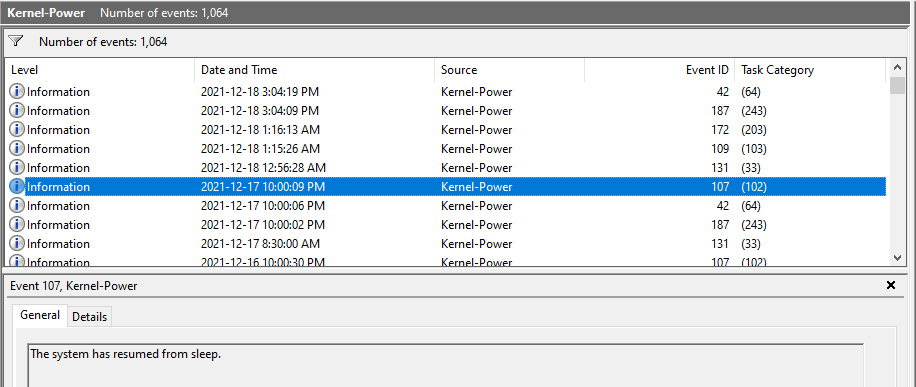
| Example of Task Scheduler successfully put PC to sleep.
|
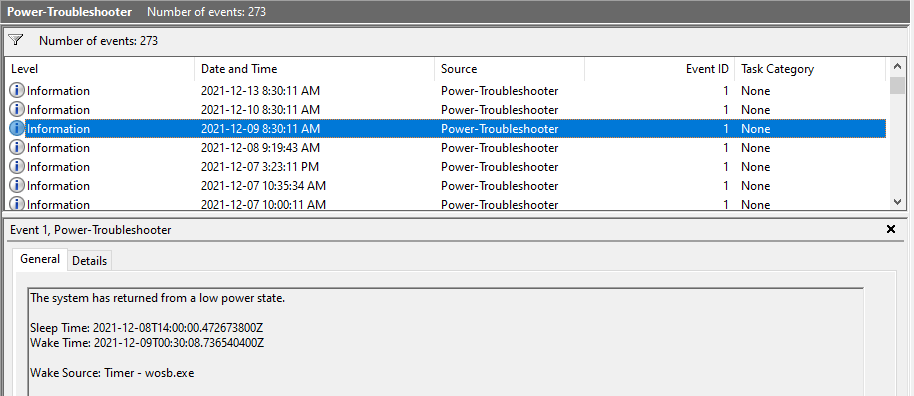
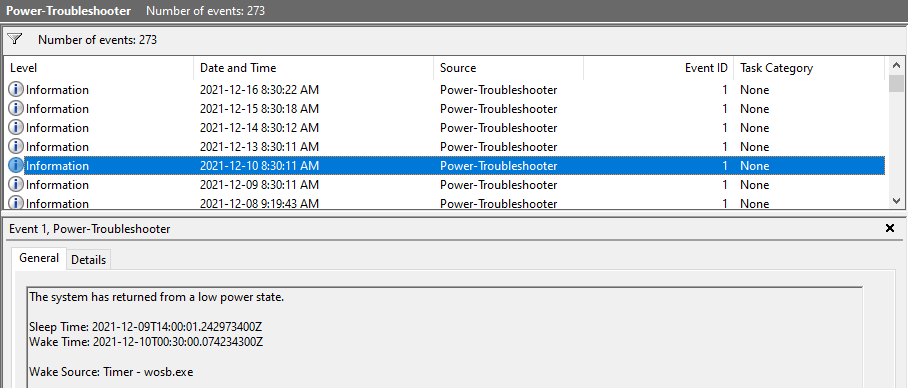
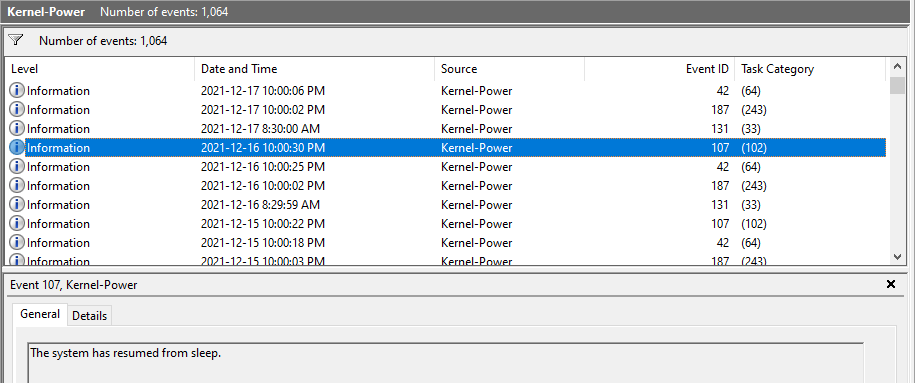
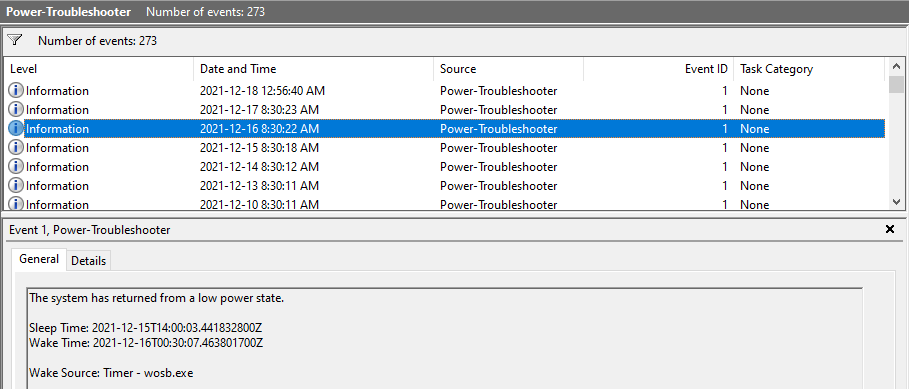
Example of wosb.exe successfully wake up PC.
|
|
| 9-Dec | Y
|
Y
|
| 10-Dec | Y
|
Y
|
| 13-Dec | Y
|
Y
|
| 14-Dec | Y
|
Y
|
| 15-Dec | Y
|
Y
|
| 16-Dec | Y
|
Y
|
| 17-Dec | Y
|
Y
|
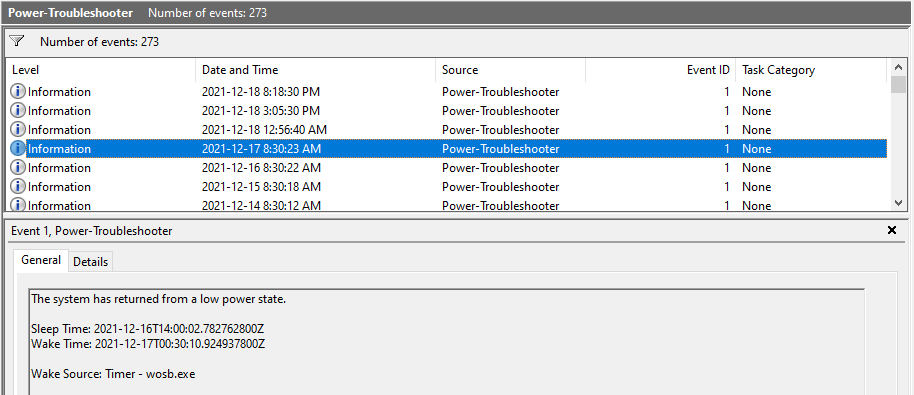
How to Filter Event Viewer and Save it as a Custom View
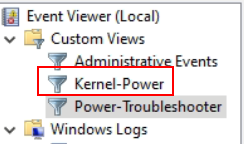
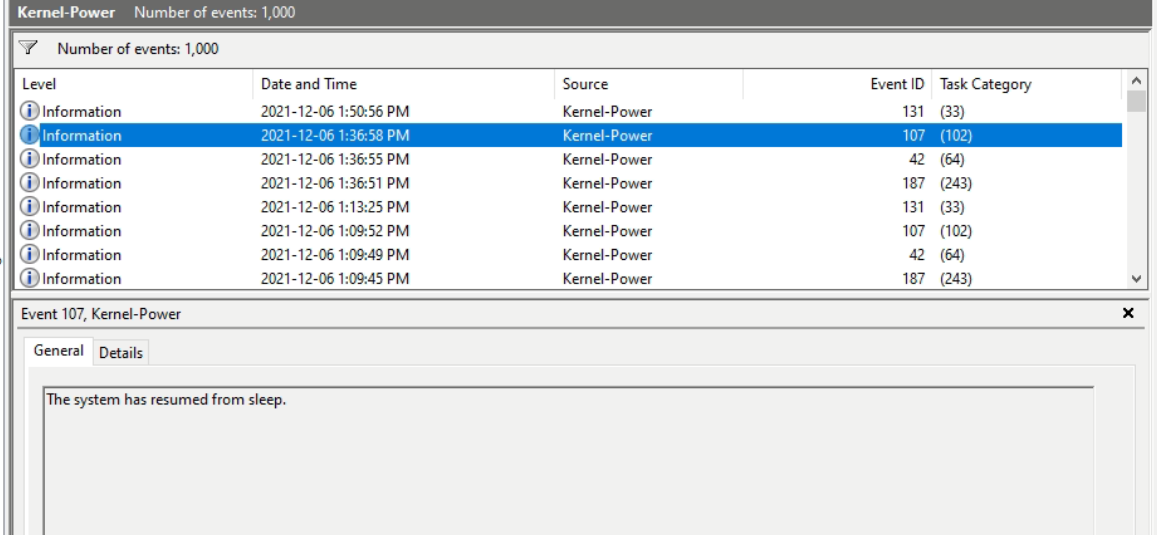
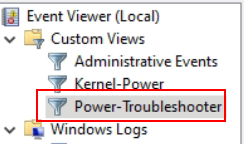
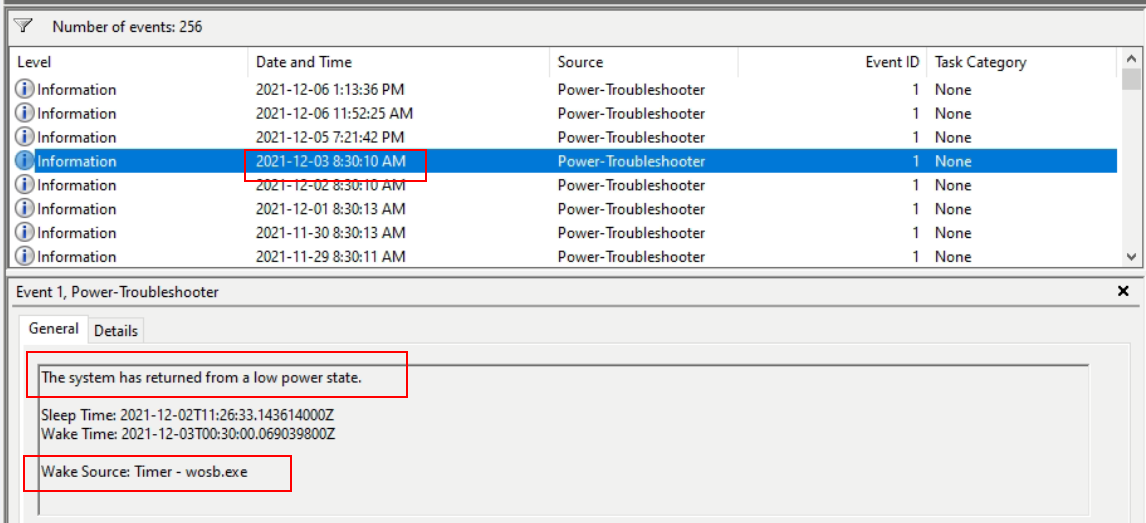
Create 2 custom views for “Kernel Power” and “Power-Troubleshooter”.
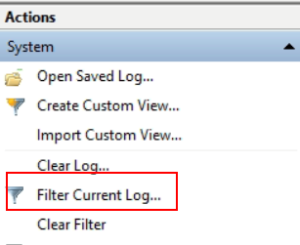
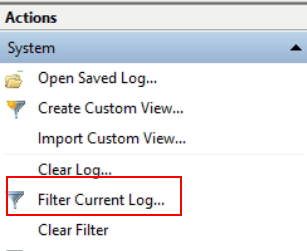
- Select “Filter Current Log …”.
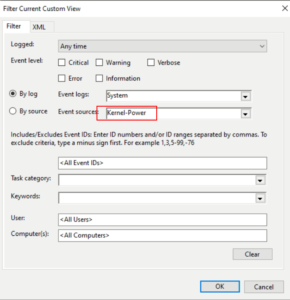
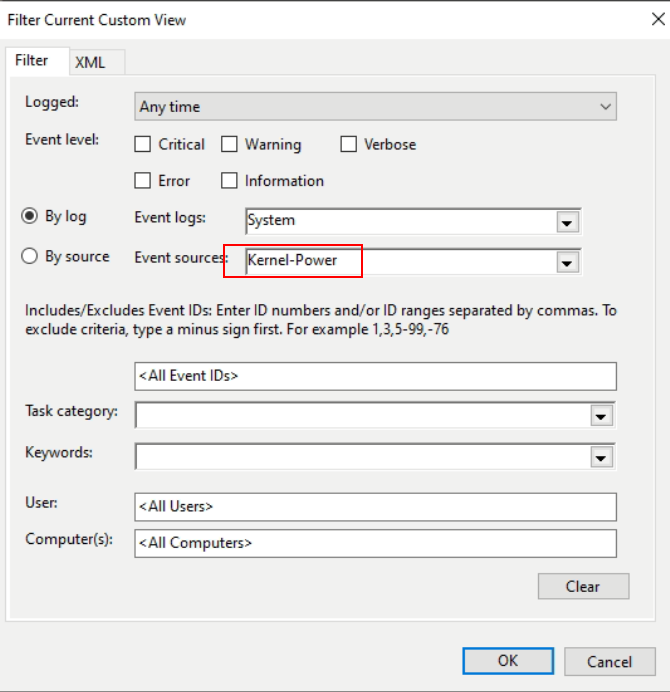
- Select “Kernel-Power”
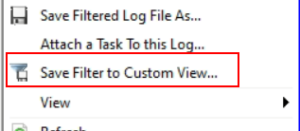
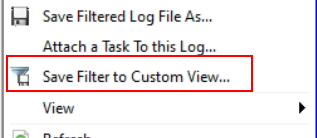
- Select “Save Filter to Custom View …”
- Save the custom view as “Kernel-Power”
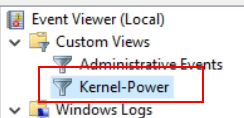
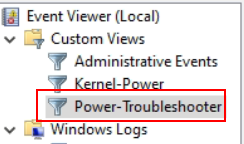
- Repeat it for “Power-Troubleshooter”
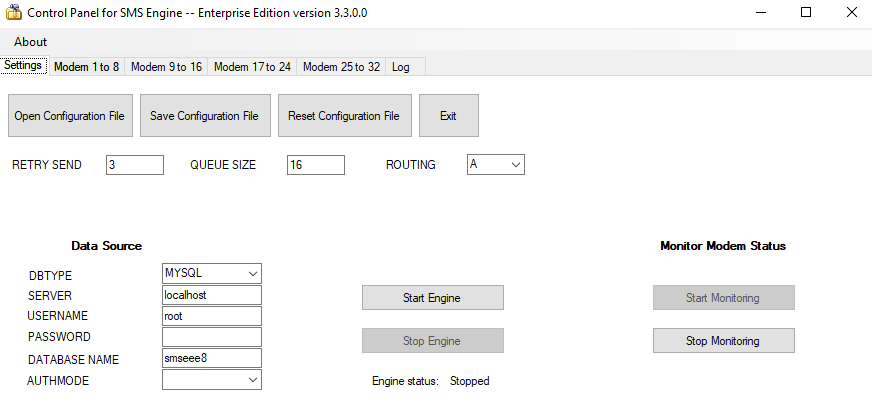
Control Panel for SMS Engine — Enterprise Edition version 3.3 is Released
List of Fixes in Version 3.3
- Replace the “Unhandled exception …” error message with “My SQL Connector … is not installed.” message;
- Remove imports statement Imports MySql.Data.MySqlClient and replace the DIM statements to solve “MSSQL” problem;
- Separate ”Try…Catch” for MSSQL and MySQL to solve the Problem — MSSQL triggers warning message that MySQL Connector is not installed.
Download
Existing customers of MobiGATE with valid warranty period or with valid annual support programme could download version 3.3 from here …
If you wish to subscribe to annual support programme for your MobiGATE, please contact us.
More Information
MobiGATE SMS Engine — Enterprise Edition version 8.5 is Released
Version 8.5: has fixed the issue — service takes a very long time, 10 minutes or more, to completely stop when 32 modems are enabled.
Version 8.4: has fixed USSD bug.
Version 8.3: has fixed engine will only process records in “outbox” table having “msg_type = T, U or D”; fixed engine will avoid/prevent sending the same message twice by setting the “sent_status” first then calling API to send out SMS; fixed engine will follow the queue size rule set by user in <QUEUE_SIZE>.
Version 8.2: has fixed bug — Engine will flag the “send_status = I”.
Version 8.0: revised SQL script of MS SQL.
MOBITEK SMS Engine is able to work in Windows Server 2003 / 2008 / 2012 / 2016, 32 bit and 64 bit
More Information
Chilkat Mail ActiveX version 9.4 Does Not Support GMail and Yahoo Mail Server
CONCLUSION
- Chilkat Mail ActiveX version 9.4 does not support GMail and Yahoo Mail with or without SSL connection.
- Chilkat Mail ActiveX version 9.4 supports mail server of mobitek.my with or without SSL connection.
TEST
| TEST OBJECTIVE | TESTING METHODOLOGY | TEST RESULT |
| Can MOBITEK SMS360 connect to GMail mail server via POP3 with SSL? | GOOGLE SETTINGS
SMS360 Setting
|

No e-mail was converted to SMS. |
| Can MOBITEK SMS360 connect to GMail mail server via POP3 without SSL? | GOOGLE SETTINGS
SMS360 Setting
|

No e-mail was converted to SMS. |
| Can MOBITEK SMS360 connect to Yahoo mail server via POP3 with SSL? | SMS360 Setting
|

No e-mail was converted to SMS. |
| Can MOBITEK SMS360 connect to Yahoo mail server via POP3 without SSL? | SMS360 Setting
|

No e-mail was converted to SMS. |
| Can MOBITEK SMS360 connect to info@mobitek.my mail server via POP3 with SSL? | SMS360 Setting
|
E-mail was converted to SMS. |
| Can MOBITEK SMS360 connect to info@mobitek.my mail server via POP3 without SSL? | SMS360 Setting
|

E-mail was converted to SMS. |


Please provide these information:-
- What is the version of Chilkat API used? Give s.c.

List of Functions Supported by MOBITEK EC20 4G Router & IoT Gateway (Firmware: 3.4.3.9-005)

How to Reset or Reboot MOBITEK S80 Modem on an Interval
- The reset command “AT+WRST” can be issued in either hyper terminal or QCOM.
- When MOBITEK S80 modem is reset/reboot:-
- the state of QCOM as follows:-
- “Close Port” button turn to “Open Port”
- “Send Command” and “Run” buttons are greyed out
- No command can be send out
- the state of Red LED status as follows:-
- stop blinking
- turn off
- turn on
- blinking
- all the above completed in less than 10 seconds
- SMS Engine — Enterprise Edition is able to re-initialize the modem
- the state of QCOM as follows:-
TEST RESULT
| TEST OBJECTIVE | TESTING METHODOLOGY | TEST RESULT |
| Can MOBITEK S80 support schedule reboot? E.g. reboot on 1 p.m. every day? | Not applicable | |
| Can MOBITEK S80 reboot every 3 minutes? | AT+WRST?
+WRST: 0 OK OK +WRST: 1,”000:03″,”000:03″ OK |
The reset is set to start at “15:46”. By right the port will disconnect at:
The state of QCOM when the modem disconnect:
At “15:49” the port closed (below s.c. is taken around 1 minute late).
Open the port again at “15:51”. At “15:52” the port closed (below s.c. is taken around 1 minute late).
|
| Can SMS Engine — Ent. Ed. re-initialise MOBITEK S80 Modem after modem is reset? |
|

Not sure how frequent the engine will check for the modem’s connection. The reset duration happen in less than 10 seconds. Probably it missed the checking:
The last 3 “initialized” status show the disconnect interval are 3 minutes.
|
| When modem is reset, what is the status of LED? |
|
Red LED status when the modem reset (less than 10 seconds):
|


AT+WRST
AT+WRST only has the <MODE>,<DELAY>,<REMAINTIME>:

Issued: AT+WRST=1,"000:03"
Response: +WRST: 1,"000:03","000:03"
- 1 = enable reset
- “000:03” = reset every 3 minutes interval
- “000:03” = countdown for the next reset (3 minutes). this countdown is still active even the port is disconnected.
Means:
- AT+WRST is not able to do schedule reboot as we can’t specify the schedule time for the reset
- AT+WRST is able to reset at any interval, i.e.: every 3 minutes
- need to connect to the port again after every reset
- the reset setting is always saved in the module even after every reconnection unless “AT+WRST=0” is issued
MOBITEK EC20 Router Will Continuously Re-connect If There Is No 4G Or 3G Network Connection
By default, EC20 router will continuously re-connect if there is no 4G or 3G network connection. Reboot is not necessary.